

Ricoh fi-8040 PC-Less DirectScan Network Scanner
Ricoh fi-8040 pengimbas dokumen pembekal Malaysia 理光文档扫描仪供应商马来西亚
Scan straight to email or network folders — no PC required. Built for shared workspaces in Malaysia that need a scanner every team member can use independently.
The fi-8040 is built around DirectScan, a PC-less function that lets anyone scan, preview, and send documents straight to email, network folders, or FTP servers from the 4.3-inch touch screen alone. It works equally well as a traditional TWAIN/ISIS desktop scanner for individual PCs.
Fully supported in Malaysia by Office Machine with fast quotation response and corporate procurement assistance — the fi-8040 is ideal for shared offices, remote teams, and departments that want to replace the fax machine with fast, independent document sharing.
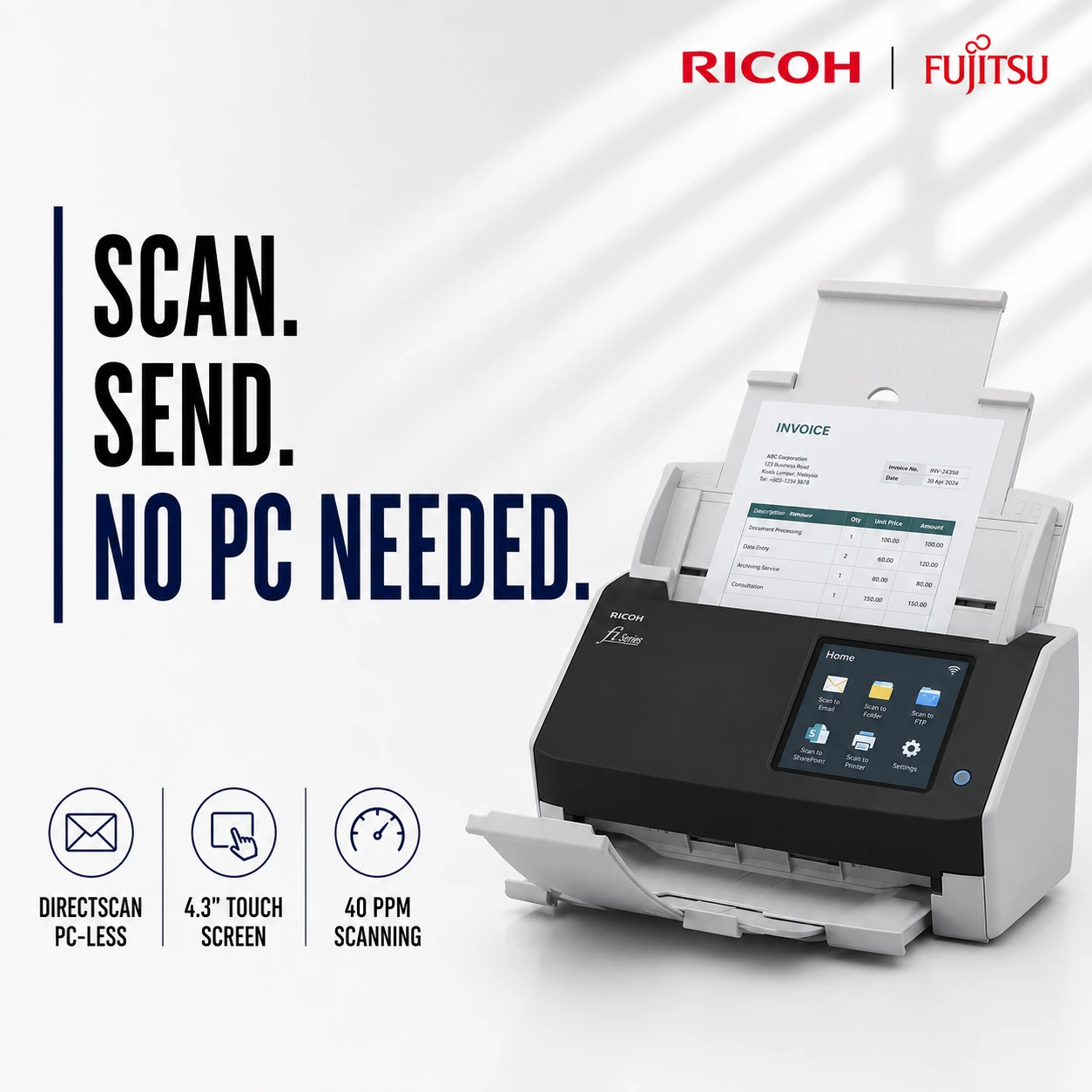


PC-Less DirectScan Network Scanner built for shared workspaces that need independent, touchscreen-driven document sharing.
Ricoh fi-8040 DirectScan Network Scanner
-
Scan without a PC
DirectScan lets the fi-8040 send scans straight to their destination without ever connecting to a computer, ideal for shared or remote work environments.- Scan directly to network folders, FTP servers, or up to 25 pre-set email addresses
- Preview thumbnails and verify filenames on the touch screen before sending
- Configure destinations via web browser for a single unit, or PaperStream Central Admin for many
- Requires the scanner’s time to be synchronised with an NTP server
-
Fast, reliable everyday scanning
Despite its compact size, the fi-8040 delivers business-grade scanning performance for daily office workflows.- 40 ppm / 80 ipm duplex scanning at 200 and 300 dpi (A4 portrait, colour)
- Up to 6,000 sheets daily duty cycle
- 50-sheet automatic document feeder with overlap and length detection
-
Handles more than paper
The fi-8040 scans plastic cards, A3 bi-folded documents, and multi-layered documents without needing a carrier sheet, using Manual Feed Mode for thicker items. -
Built for shared, multi-user offices
Multiple users can share one unit seamlessly, with minimal training required to scan, preview, send, and save directly from the fi-8040 itself. -
PFU Clear Image Capture
Combining a CIS sensor with the GI image processing engine, Clear Image Capture suppresses colour shifts and delivers high-definition images for accurate data extraction, paired with PaperStream IP and PaperStream Capture software.
Specifications
- Item Name: fi-8040
- Scanner Type: ADF / Manual Feed, Duplex
- Scan Speed: 40 ppm / 80 ipm (A4 portrait, colour, 200/300 dpi)
- Optical Resolution: 600 dpi
- ADF Capacity: 50 Sheets
- Connectivity: USB 3.2 Gen1x1 + Ethernet (10/100/1000BASE-T)
- Supported Document Sizes: Max 215.9 x 355.6 mm (8.5 x 14 in.), Long Document mode up to 5,588 mm at 200 dpi
- Software Included: PaperStream IP (TWAIN/ISIS), PaperStream Capture, DirectScan, PaperStream NX Manager
- Product Dimensions (mm): 292 × 157 × 143 mm
- Product Net Weight: 3.1kg
- Warranty: 1 Year (confirm with local distributor)
Product Video
Brochure
Applications of Ricoh fi-8040 in Malaysia
The Ricoh fi-8040 is designed for shared offices and multi-user teams across Malaysia that want fast, independent document scanning without routing everything through a PC.
Shared Offices & Departments
- PC-less scan-to-email as a modern fax replacement
- Shared-desk scanning for teams without individual workstations
- Departmental document routing to network folders
- Contract and invoice scanning for administrative teams
Remote & Hybrid Work Environments
- Branch or satellite office scanning without local IT support
- FTP-based document delivery to central offices
- Cross-location information sharing between teams
- Centralised scanner management via PaperStream Central Admin
General Office & Front Desk Use
- ID card and plastic card scanning without a carrier sheet
- A3 bi-folded and multi-layered document scanning
- Daily correspondence and mail digitisation
- Multi-user front-desk scanning stations
Why Malaysian Businesses Choose Ricoh fi-8040
Shared offices and multi-user teams across Kuala Lumpur, Selangor, Penang, Johor Bahru, and other major cities in Malaysia choose the Ricoh fi-8040 for scanning that doesn’t depend on a dedicated PC.
- DirectScan sends documents straight to email, network folders, or FTP without a computer
- 4.3-inch touch screen lets any team member scan, preview, and send independently
- Compact 3.1kg design fits easily on shared desks or reception counters
- Scans plastic cards and A3 bi-folded documents without needing a carrier sheet
- Overlap and length detection prevent scans from being cut off or skewed
- PaperStream Central Admin enables centralised management of multiple units
Key Features of Ricoh fi-8040
DirectScan PC-Less Scanning
Scan and send documents straight to email, network folders, or FTP servers without ever connecting to a computer.
4.3-Inch Touch Screen
Preview scanned thumbnails, verify filenames, and manage destinations directly from the scanner.
40 ppm / 80 ipm Speed
Processes 40 simplex pages or 80 duplex images per minute at 200/300 dpi for everyday office scanning.
Compact, Lightweight Design
At just 3.1kg with a 292 x 157 x 143mm footprint, the fi-8040 fits easily on shared desks or counters.
Card & Folded Document Support
Scans plastic cards, A3 bi-folded, and multi-layered documents without needing a carrier sheet.
Clear Image Capture
Suppresses colour shifts and delivers high-definition images for accurate OCR and data extraction.
Ricoh fi-8040 Price in Malaysia
Single Unit Order
Suitable for small shared offices or single departments requiring one unit.
Bulk Office Purchase
Ideal for SMEs and multi-department companies equipping several shared-scan stations.
Large Quantity Orders
Suitable for organisation-wide rollouts across multiple branches with centralised management.
Comparison Overview
| Feature | Ricoh fi-8040 | Generic Scanner | Manual Filing |
|---|---|---|---|
| Scan Speed | 40 ppm / 80 ipm | Slow | N/A |
| Image Quality | 600 dpi + Clear Image Capture | Standard | N/A |
| Connectivity | USB 3.2 + Ethernet | USB Only | None |
| Software | PaperStream IP + DirectScan | Basic | None |
| Malaysia Supplier Support | Yes ✓ | Limited | No |
Frequently Asked Questions (FAQ)
What is DirectScan on the Ricoh fi-8040?
DirectScan is a PC-less scanning function that lets the fi-8040 send scanned documents straight to network folders, FTP servers, or up to 25 pre-set email addresses, all controlled from the scanner’s own touch screen without a connected computer.
What is the scanning speed of the Ricoh fi-8040?
The Ricoh fi-8040 scans at 40 pages per minute (simplex) and 80 images per minute (duplex) at 200 and 300 dpi, rated for up to 6,000 sheets a day in everyday office use in Malaysia.
Does the fi-8040 need to be connected to a PC to work?
No, with DirectScan enabled the fi-8040 can scan and send documents independently via its touch screen. It can also connect to a PC via USB 3.2 for traditional TWAIN/ISIS scanning software.
Can the fi-8040 scan plastic cards and folded documents?
Yes, the fi-8040 scans plastic cards up to 0.76mm thick and A3 bi-folded or multi-layered documents without needing a carrier sheet, using its Manual Feed Mode.
Is the Ricoh fi-8040 available in Malaysia with local support?
Yes, the Ricoh fi-8040 is available through Office Machine with ready stock, fast quotation response, and corporate procurement support for businesses across Malaysia.
Get the Ricoh fi-8040 Scanner in Malaysia
Looking for a PC-less network document scanner supplier in Malaysia? Contact Office Machine today for quotation, bulk purchase pricing, and delivery support for shared offices and organisations nationwide.
Office Machine Sdn Bhd.
Bandar Sri Damansara, Kuala Lumpur.
